

It was a coincidence that I discovered the AnyRail track planner software. I had previously used the licensed version of SCARM (Simple Computer Aided Railway Modeller) for track planning. SCARM is a well-established layout planning program with a solid model train simulator and a 3D viewer. Some features take practice to master—just like any new software or hobby. I decided to give AnyRail a try to see how it compares and what, if anything, it does better.

MS-Office-like Menus
Many of us are familiar with the MS Office suite of applications. If you use MS PowerPoint, you will notice some similarities. AnyRail’s menus are arranged in an MS Office–style layout, making it easy to find what you need since the tools are grouped logically.






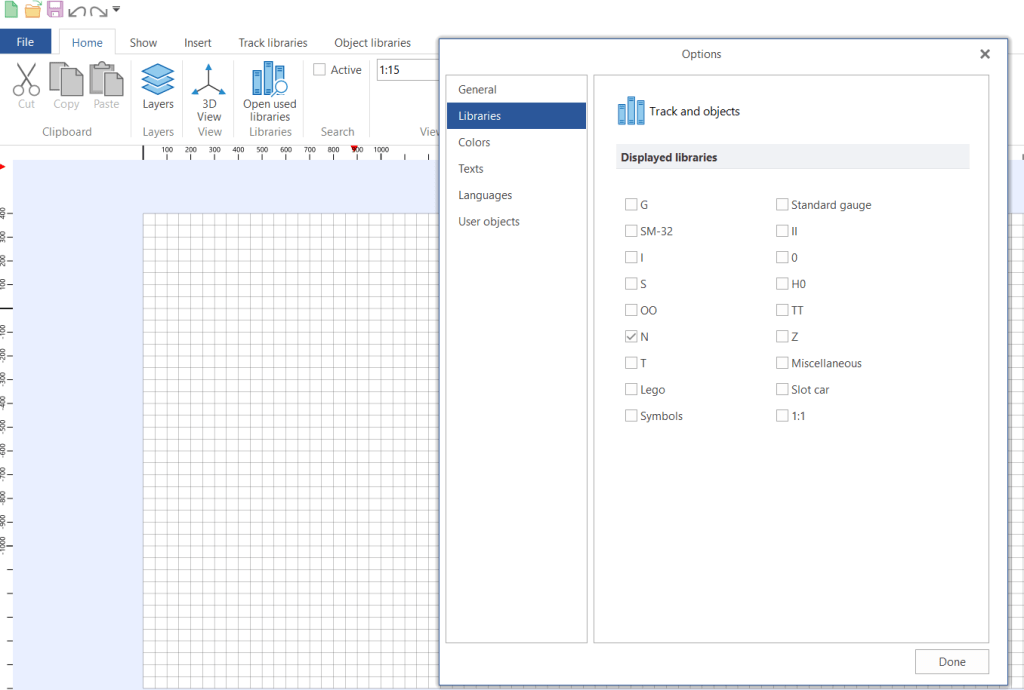
Under the Options menu in File, you can pre-define several settings such as user interface options, displayed libraries (useful if you want to work with more than one scale), color schemes for tracks and grids, and language settings.


What I Like About AnyRail
I was able to import images, such as my FREMO segments that I had previously superimposed with the actual track plan of the location from Google Maps, and use them as a baseline for track planning in AnyRail. I scaled the AnyRail workspace to 1:5, which matches the scale of the image. For the track components, I used the Peco Streamline Code 55 N-scale library.

I have three segments (Segments 4 to 6) with a clear view of where the joints and connections between modules are located. This allowed me to position the turnouts—especially the frogs and switches—so they avoid the joints. Using the 3D view, I can rotate the track plan to see it from different perspectives. Since the imported image is a flat file, it does not appear in 3D, as expected.

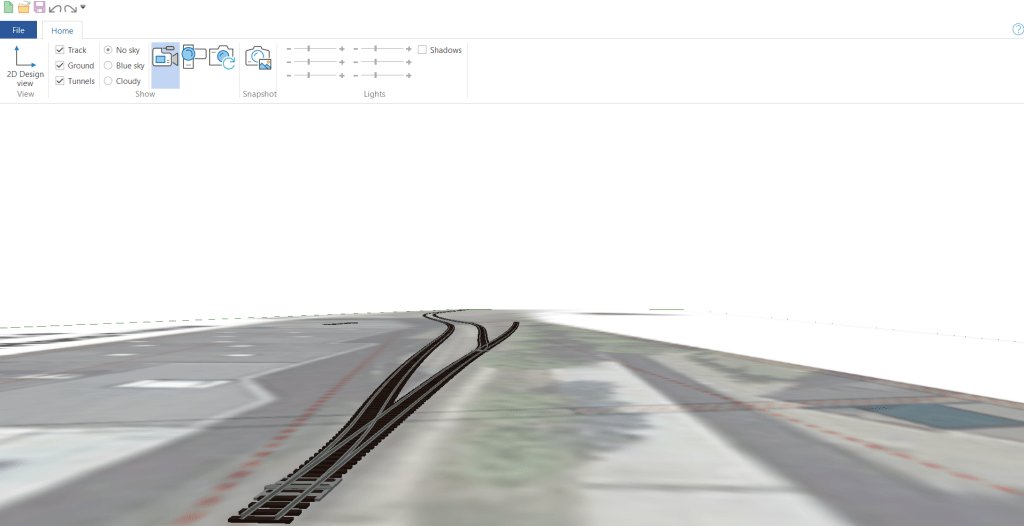
Compared to SCARM, I found the flex tracks easier to manipulate. You can curve a flex track at different points, and if you define minimum parameters such as track radius, the software will prompt you when the curvature falls below the limit. Cutting and joining flex tracks is also straightforward.
There are many more AnyRail features that I could write about, and this short review does not fully do justice to its capabilities. I will cover them as I share more about my FREMO module planning.
What SCARM Does Better
SCARM has a Model Train Simulation extension that allows you to run trains on your track plan and see how it would look once the actual layout is built.

Cost Consideration
You can download a free trial version, which is limited to 50 track sections. A one-time licensed version costs €55.00 (at the time of this post) and includes free updates.
 germaN:160 by traiNmaster